Space Waves Halloween
Space Waves Halloween Controls
Mobile: tap anywhere on the screen; the whole play area is your button.
How to Play Space Waves Halloween
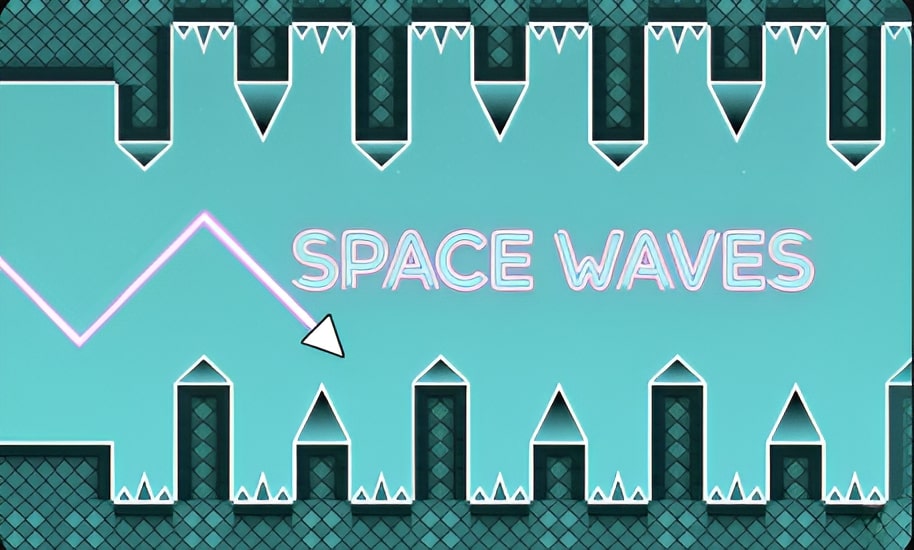
Hold the input to keep climbing; release to keep diving.
Thread the gaps between spikes, walls, and moving obstacles without touching anything.
Clear a level end to end to unlock the next one; progress saves automatically.
Die and you restart the same level instantly, so keep the rhythm and try again.
Space Waves Halloween Tips & Strategies
Watch one obstacle ahead of the one you are dodging to plan the switch early.
Take breaks on hard levels; timing returns fresher than after ten straight deaths.
Practice the mid-level gravity flips on early stages where mistakes cost less.
Chase clean exits over speed; surviving the corridor beats rushing into a spike.
Space Waves Halloween Features
- One-button gravity switching in the classic Space Waves style
- 33 levels with saved progress and a difficulty curve that ramps fairly
- Instant restarts that keep runs fast and frustration low
- Free in the browser on desktop and mobile, no download needed
About Space Waves Halloween
Frequently Asked Questions
How do you play Space Waves Halloween?
To play Space Waves Halloween, click, tap, or press space to switch the direction your arrow travels. hold the input to keep climbing; release to keep diving. thread the gaps between spikes, walls, and moving obstacles without touching anything. clear a level end to end to unlock the next one; progress saves automatically. die and you restart the same level instantly, so keep the rhythm and try again.
What are the controls for Space Waves Halloween?
Desktop: click the mouse or press the space bar to switch direction. Mobile: tap anywhere on the screen; the whole play area is your button.
Is Space Waves Halloween free to play?
Yes. Open the page and it runs in your browser; there's no charge and no sign-up.
Can I play Space Waves Halloween on mobile?
Most of our games work on touchscreens as well as keyboard and mouse. If Space Waves Halloween needs keys, you'll get a better experience on desktop.
What are some tips for Space Waves Halloween?
Tap in rhythm instead of holding; short taps keep the arrow controllable in tight tunnels. Watch one obstacle ahead of the one you are dodging to plan the switch early. Take breaks on hard levels; ...